

SlideAdmin was built to help automate repetitive tasks such as copy-pasting tables and images. While copy-pasting a few tables and images into Google Slides™ isn't so bad, doing a dozen of these can get tedious very quickly.
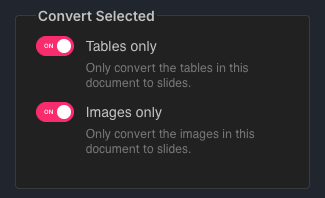
SlideAdmin can be configured to extract just the tables and/or images in your document and transfer them to slides without the other textual content.
How to Just Convert Tables or Images to Slides
Under Settings, enable Tables only and/or Images only.
Ensure that nothing is selected in your document.
Then click Generate.

Including Slide Headings
If you leave a table on its own with no Heading 1 above it, SlideAdmin will place it on a full-table slide with padding around the table.
If you want a titled table slide instead, add a Heading 1 paragraph above the table in Google Docs™. SlideAdmin will treat that heading as the slide title and place the table below it in the standard titled layout.